Google Meet Speech Translation Languages Grow to 63
 Productivity
Google Meet speech translation languages now number 63, including Spanish, French and Hindi. Plans, time limits and what it cannot do.
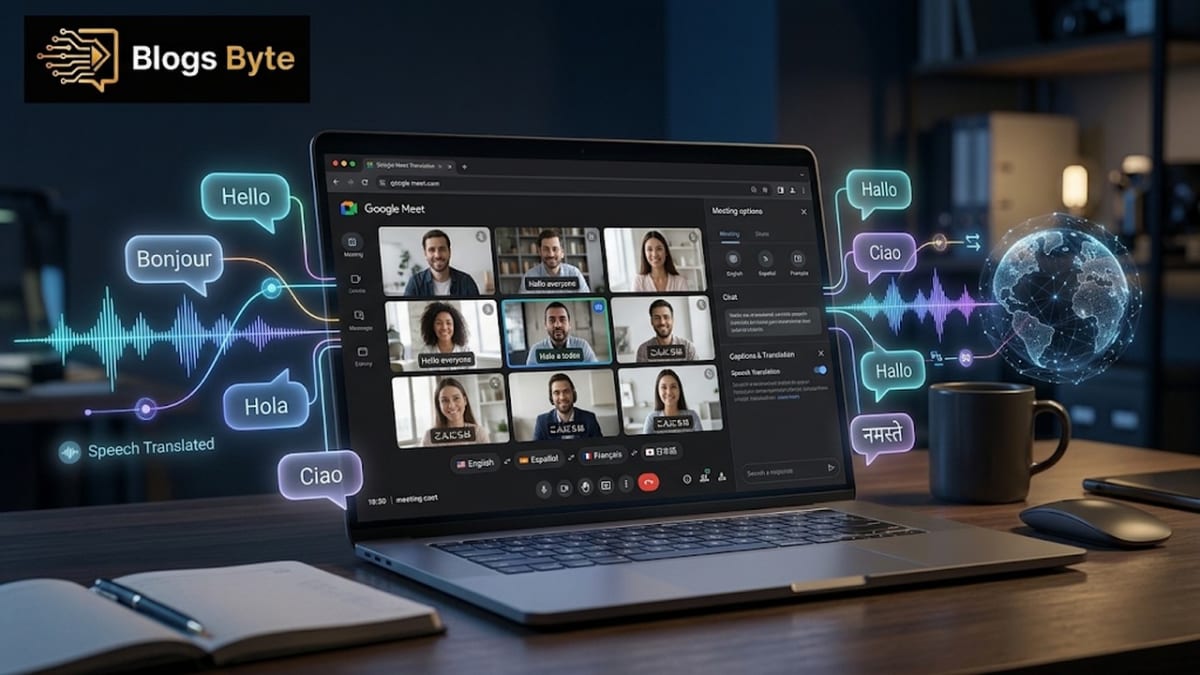
Picture a call where you speak English, your client speaks Spanish, and a colleague joins in Japanese. A few years ago that meeting needed an interpreter, a lot of patience and a spare hour. Google just made it a button. On October 22, 2026, it announced that the Google Meet speech translation languages list has grown to 63, and Spanish, French, Hindi and Urdu are all on it.
It is the same direction WhatsApp took when it let people join calls without an account: remove whatever stops two people from talking. That one line matters for a lot of people, and here is why before the fine print. If you freelance, work with overseas clients or run a small business across borders, a call that translates itself can save you from misunderstandings, and from hiring someone for a single conversation.
But there is a catch, and Google does not shout about it. This is not a free feature for everyone. Here are the 63 languages, who can use it, how long it works, and where it breaks.
What Google announced on October 22, 2026
Google's Workspace Updates post says Gemini-powered speech translation in Google Meet now supports 63 languages on the web, Android and iOS. Meet hardware in conference rooms can play the translation to people in the room.
Two things changed at once:
- The language list got much bigger. Google says the earlier version supported a limited set of language pairs and required one pair to be set for the whole meeting. Earlier coverage described English paired with Spanish, French, German, Portuguese and Italian. It is now 63.
- It detects the language for you. The post says people can switch languages in the middle of a meeting and Meet follows, with no manual switching. The post says it is powered by Gemini 3.5 Live Translate. It is one of several Gemini-powered changes Google made this autumn, alongside editing PDFs directly in the Gemini chat.
Participants can also translate between any pair of the 63 languages in the same meeting, not just to or from English. That is what makes a three-language call possible.
What changed from the older version
Before October 22, Google says speech translation supported a limited set of language pairs, and the host had to set a single pair for the entire meeting. That worked for a call between two languages, and it did not work for a group where people spoke three or four. The new version removes both limits. Meet can detect the spoken language itself, and participants can translate between any combination of the 63 languages in the same meeting. In practice that means one meeting can include English, Spanish and Hindi speakers, each listening in the language they choose.
The 63 Google Meet speech translation languages
This is the list from Google's own Meet Help Center page, copied exactly:
Afrikaans, Amharic, Arabic, Armenian, Azerbaijani, Basque, Bengali, Bulgarian, Burmese, Cantonese (Yue Chinese), Catalan, Chinese, Czech, Danish, Dutch, English, Filipino, Finnish, French, Galician, Georgian, German, Greek, Gujarati, Hebrew, Hindi, Hungarian, Icelandic, Indonesian, Italian, Japanese, Javanese, Kannada, Khmer, Korean, Lao, Latvian, Lithuanian, Malay, Malayalam, Marathi, Nepali, Norwegian Bokmål, Persian (Farsi), Polish, Portuguese (Brazilian), Romanian, Russian, Serbian, Sinhala, Slovak, Slovenian, Spanish, Sundanese, Swahili, Swedish, Tamil, Telugu, Thai, Turkish, Ukrainian, Urdu and Vietnamese.
For US teams, Spanish, French, German, Italian, Portuguese (Brazilian), Chinese, Japanese, Korean, Russian and Arabic are all on the list. Some quick checks for South Asian languages: Urdu, Hindi, Bengali, Gujarati, Marathi, Tamil, Telugu, Kannada, Malayalam, Nepali and Sinhala are all there. Punjabi is not. Pashto and Sindhi are not either. So if your meeting needs one of those, this feature will not carry it.
Google Meet speech translation Spanish: does it work?
Spanish is on the official list, and it was already among the languages paired with English in the earlier version, so yes, it is supported. Urdu and Hindi are on the list too. What we cannot tell you is how good the translation is in any of them. Neither Google's post nor the Help Center says anything about quality for individual languages, and we have not found independent tests. Machine translation is usually strongest in the big languages and weaker in the smaller ones. Try it on a low-stakes call before you rely on it for a contract. Ask the other person, too: if they cannot tell whether what they hear matches what you meant, say it again in a simpler sentence. That habit of checking is most of what separates good and bad AI use.
If you want to understand why a translation can sound smooth and still be wrong, our explainer on how AI actually works covers the reason in plain words.
Google Meet speech translation free: which plans get it?
This is the part that surprises people. Google Meet speech translation is not free for everyone. Google's list of eligible plans is:
- Google Workspace Business Standard and Plus, Enterprise Standard and Plus, and Frontline Plus
- Google AI Pro for Education
- Google AI Pro and Google AI Ultra for consumers
- The AI Expanded Access and AI Ultra Access add-ons
If you use Meet with a free personal Google account, nothing in Google's post says you get this feature on its own. In short, the Google Meet speech translation plans that count are the paid ones above. If you are weighing free against paid AI tools more generally, our NotebookLM vs ChatGPT comparison puts free plans side by side.
The rules about who needs to pay are generous in one way. For scheduled meetings, the host needs an eligible plan, and guests from other domains can use translation if the organizer has one. In a one-to-one call, it works for both people if either has an eligible plan. So one paying person can cover a whole call.
Google Meet translation 90 minutes: the time limit
Translation does not run forever on every plan. The Help Center says:
- 90 minutes per meeting: Workspace Business Standard and Plus, Enterprise Standard and Plus, Frontline Plus, AI Pro for Education, and Google AI Pro.
- Up to 8 hours per meeting: Google AI Ultra and the AI Expanded Access add-on.
A normal client call fits easily into 90 minutes. A long workshop or a full-day training does not. If you run those, check which plan your host has. Limits like these shift as Google changes its AI plans, the way the Gemini API price increase changed costs for developers.
How to check your plan before a call
Because eligibility depends on the host, a short check saves an awkward moment. Ask the person who will host the call which plan they use, and match the answer against the list above. If the host is on Business Standard or Plus, Enterprise Standard or Plus, Frontline Plus, AI Pro for Education or Google AI Pro, plan for up to 90 minutes. If they are on Google AI Ultra or the AI Expanded Access add-on, the limit is up to 8 hours. For a direct call between two people, one eligible plan is enough, so you can offer to be the one who starts it.
Admins should know that the feature is on by default for eligible Workspace editions when the Gemini for Meet setting is on, and that they can switch it on or off for an organizational unit or group. Each person still turns translation on for themselves during the meeting.
What it cannot do
The limits are worth knowing before you promise anything to a client, and before you trust any AI helper blindly, which is the point of why most people use AI wrong:
- It does not work in live streams or recordings.
- It does not work in client-side encrypted meetings, dial-in calls, third-party interoperability calls, or when Adaptive Audio is on.
- In a conference room with Meet hardware, people can hear translations of remote speakers, but the room's own speech is not translated for others.
- Transcripts and "Take notes for me" only capture speech in the configured language, and do not support every translation language. For follow-ups after a call, Slack Later is now to-dos shows how another tool handles that part.
- It may not work for people who have not agreed to be translated, who are in an unavailable region, who use an unsupported device, or who are under 18.
- It can be switched off by a Workspace admin.
Nothing in the post says which regions are excluded. The Help Center only says a participant might be in a region where the feature is unavailable, so test it before you depend on it.
How it works in the call
Short version, because the screens may change. Translation is off when a meeting starts. Each person turns it on from the meeting toolbar, and can list languages they already understand so those are not translated. People can also choose whether their own speech is translated for others, in Meet settings. On a phone, you need to update the Meet app first.
For admins, the feature is on by default for eligible editions when the Gemini for Meet setting is on, and can be turned on or off for an organizational unit or group. Rollout started October 22 for Rapid Release domains and from November 2, over up to 15 days, for Scheduled Release domains. So if you do not see it yet, you may just be waiting for your turn.
Tips for a translated call
A few habits make machine translation more reliable, whatever the language pair. Speak in short, complete sentences and pause between thoughts. Avoid idioms and jokes that depend on wordplay, because they translate badly. Say names, numbers and dates slowly, and repeat them in the meeting chat so nothing depends on audio alone. At the end, summarize decisions in writing and ask each person to confirm, since a written summary is the easiest way to catch a misunderstanding. For anything legal, medical or financial, use a qualified human interpreter.
Where to read the official rules
Google keeps the details on its own pages, and they change. The announcement is on the Google Workspace Updates blog, and the current language list, plans and limits are in the Meet Help Center. Check those pages before you quote a limit to a client, because this article reflects what they said in early November 2026.
Why this matters beyond Meet
Real-time translation is now a feature, not a gimmick. Apple Intelligence is heading to China with live translation for calls and messages in its first batch, and WhatsApp lets people join calls without an account. The big platforms are all trying to remove the same obstacle: the moment two people cannot understand each other.
It also fits the way meeting tools are changing. If you want AI that helps after the call too, Google AI Edge Foresight looks at a no-bot note taker.
One more thing on costs. Many of these features sit behind paid AI plans, which is why AI pricing matters even if you never write a line of code. And for where AI helps and where it still fails in daily life, real world applications of AI is a good next read.
The bottom line
Google Meet speech translation languages now number 63, with automatic detection and any-to-any translation in one meeting. Urdu, Hindi, Arabic and Bengali are in. Punjabi, Pashto and Sindhi are not. It needs a paid plan from the host, caps at 90 minutes on most plans and 8 hours on the top ones, and does not cover recordings, live streams, dial-in calls or encrypted meetings.
The advice is simple. If you do international calls, ask whoever hosts them which plan they are on. Test with a low-stakes call before a serious one. And keep a human in the loop for anything legal or medical. If the documents that come out of those meetings need a quick fix, edit PDF in Gemini covers what Google added to its chat on October 29.
FAQs
What are the Google Meet speech translation languages?
There are 63, listed on Google's Meet Help Center, including Arabic, Bengali, Chinese, English, French, German, Hindi, Japanese, Korean, Russian, Spanish, Turkish, Urdu and Vietnamese. The full list is above.
Are the Google Meet live translation languages the same as speech translation?
Yes. People search for both names, but it is the same feature and the same list of 63 languages on Google's Help Center page.
Can Google Meet translate languages in real time?
Yes. Since the October 22, 2026 update, Meet can translate speech between any pair of the 63 languages in the same meeting and detect language changes automatically.
Does Google Meet have real time translation?
Yes. Gemini-powered speech translation in Google Meet works live, on the web, Android and iOS, in 63 languages, on the eligible paid plans listed above.
Does Google Meet speech translation support Spanish?
Yes. Spanish is on the official list of 63 languages, and earlier coverage described it as one of the languages paired with English in the earlier, more limited version.
Does Google Meet speech translation support Urdu?
Yes. Urdu is on Google's official list of 63 languages. Google does not publish a quality rating for individual languages, so test it before an important call.
Is Google Meet speech translation free?
Not on its own. It needs an eligible plan: certain Google Workspace editions, Google AI Pro or Ultra, or the AI add-ons. For scheduled meetings, the host needs the plan. In one-to-one calls, one eligible person is enough.
How long can Google Meet translation run?
Up to 90 minutes per meeting on Workspace Business, Enterprise and Frontline plans, AI Pro for Education and Google AI Pro. Google AI Ultra and the AI Expanded Access add-on allow up to 8 hours.
Does it work on a phone?
Yes. It works on the web, Android and iOS. On mobile you need the latest Meet app. In rooms with Meet hardware, people can listen to translations but the room's speech is not translated for others.
Does everyone in the meeting have to agree to be translated?
According to the Meet Help Center, a participant who did not agree to have their voice translated is not translated. Each person also turns translation on for themselves.
Does Google Meet speech translation work for people under 18?
No. The Meet Help Center lists a participant under the age of 18 among the cases where speech is not translated.
Can I use it in a recording or a live stream?
No. Google says speech translation does not work in live streams or recordings, client-side encrypted meetings, dial-in or third-party calls, or when Adaptive Audio is on.
Blogs Byte explains AI, software and productivity in plain English, and builds free browser-based tools.