Windows Security Update October 2026 Fixes 1,400+ Bugs
 Software
Microsoft's October 2026 Patch Tuesday fixed more vulnerabilities than any update in its history, including one already under attack.
Most months, Patch Tuesday comes and goes without anyone outside IT departments noticing. October 2026 was not most months.
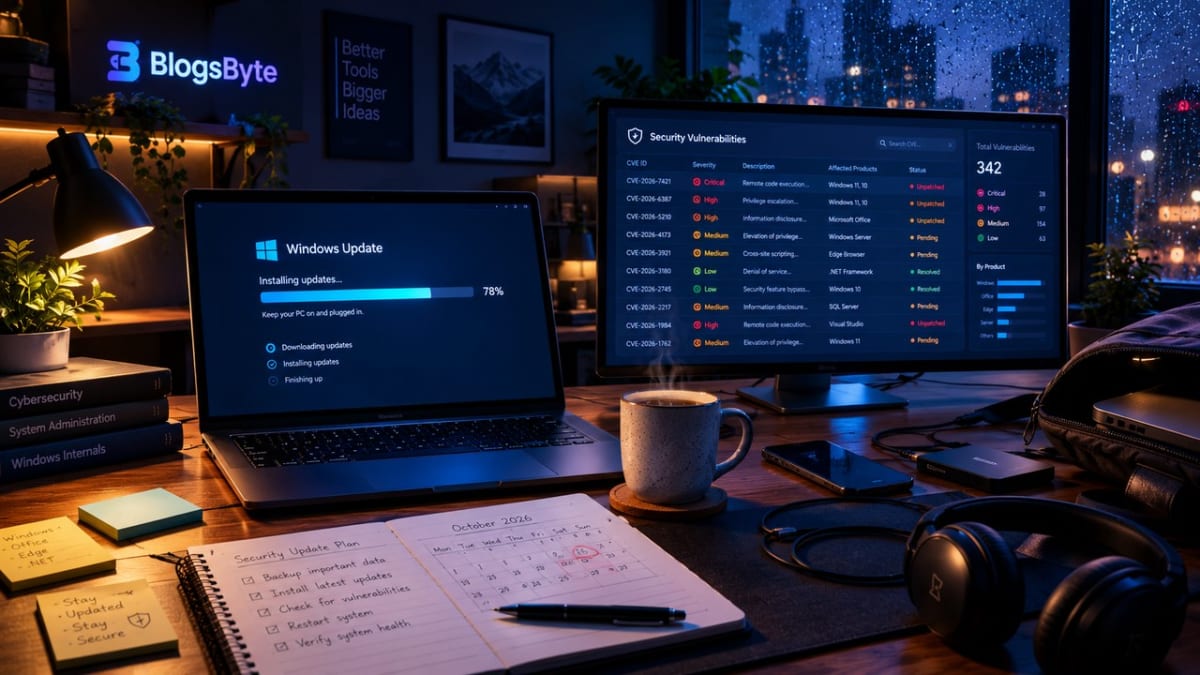
On October 13, 2026, Microsoft released its biggest security update in the company's history, and not by a small margin. Depending on which tracker you check, the count sits somewhere between 1,407 and 1,413 individual vulnerabilities fixed in a single update (BleepingComputer's headline says 1,411), the first time any Patch Tuesday has crossed the 1,000 mark. If you've been putting off that Windows Update notification, this is the month to stop. Here's what actually happened, what's genuinely serious about it, and what it means for the way how AI actually works is quietly reshaping how fast security problems get found in the first place.
What actually shipped on October 13
The update, delivered through KB5127648 for most Windows 11 users, bundles the monthly cumulative security fixes with a handful of everyday feature changes. The security side is the headline: Windows itself accounts for 1,102 of the fixes across 39 separate updates, with Office responsible for another 134. Microsoft classifies roughly 85 of the total as critical, including 67 that could let an attacker run code on your machine remotely without you doing anything beyond being connected to the internet.
Two vulnerabilities matter more than the rest. CVE-2026-96951, a bypass in a core Windows security feature, is already being actively exploited, meaning real attackers are using it right now, not just a theoretical risk researchers found first. CVE-2026-108398, a bypass in the .NET Framework that ships with Windows, has its technical details publicly disclosed, which raises the odds that working exploit code shows up soon even though Microsoft hasn't seen it used yet.
Why the number is so much higher than usual
A thousand-plus vulnerability count sounds alarming on its own, and some of that reaction is fair. But the raw number also reflects how security research has scaled up industry-wide: more automated scanning tools, more researchers getting paid through bug-bounty programmes, and frankly, more surface area to find problems in as Windows keeps adding features year after year. Some of that automated scanning is now itself AI-assisted, part of the same quiet shift covered in real world applications of AI: pattern-matching software that flags a suspicious code path for a human researcher to confirm, rather than a person reading every line by hand.
It's not evidence that Windows got dramatically less secure overnight. It's closer to evidence that more problems are being found and fixed before criminals find them first, which is the system working, even if the headline number makes it look like the opposite. The actually worrying part isn't the count; it's the two vulnerabilities being actively or publicly exploited, because those are the ones that turn a routine update into something worth prioritising this week rather than next month.
The ordinary feature changes bundled in
Buried under the security story, KB5127648 also brings a few small changes that ordinary users will actually notice once they update:
- File Explorer: PDFs downloaded from the internet are previewed automatically again, after that behaviour had been disabled for a while, and HTML files now get a "Preview anyway" option instead of being blocked outright.
- A fix for a long-standing gaming bug: mouse input lag that affected some games has reportedly been resolved, a problem that's been quietly annoying PC gamers for some time.
- Copilot key remapping: you can now reassign the Copilot key on newer keyboards to the right Ctrl key or a context-menu key instead, if you've never used it for its intended purpose.
- Smaller touches: Emoji 17.0 support, a new Tips widget, and improved touchpad gestures round out the list.
- End of the road for some editions: this is the final security update for Windows 11 24H2 Home and Pro, and for Windows 10 Enterprise LTSB 2016. If you're still on one of those, this is the point where staying current stops being optional. If you're on Windows 10 more broadly rather than one of those specific editions, the support calendar is a separate, longer-running story — see Windows 10 Extended Security Updates for exactly how much time you actually have left.
How this compares to past Patch Tuesdays
Large Patch Tuesdays aren't new, but the trend line is steep. Updates crossing a few hundred fixes used to be considered a big month; this is the first time any single release has passed a thousand. Part of that growth tracks with Windows itself: more built-in features, more services talking to each other, more code overall means more places for a flaw to hide, independent of whether the underlying engineering got better or worse.
It also reflects a maturing bug-bounty economy. Security researchers increasingly get paid well for responsibly disclosing flaws to Microsoft rather than selling them elsewhere, and more structured, well-funded research means more things get found during the review process instead of after criminals already have them. A rising count, in that light, is closer to a health metric than a warning sign, with the obvious exception of whichever handful of vulnerabilities are already being exploited.
Checking that you're actually protected
You don't need to hunt down the patch manually on a consumer PC. Open Settings, go to Windows Update, and check that it shows you're up to date; if an update is pending, it'll say so and offer to install it with a restart. Businesses managing updates centrally through tools like WSUS or Intune should confirm KB5127648 has actually been approved and pushed, since centrally managed devices don't always get it automatically on October 13 itself.
If you're unsure which edition you're running, Settings, then System, then About shows it directly, which matters this month specifically because 24H2 Home and Pro editions, along with Windows 10 Enterprise LTSB 2016, won't receive another security update after this one.
Is your PC actually at risk?
For most home users running automatic updates, the honest answer is: you were probably already protected by the time you read the headline. Windows Update installs these patches automatically on consumer editions unless you've specifically paused updates, and Microsoft designed the rollout to reach most machines within days.
The people who should move faster than "whenever Windows gets around to it" are anyone managing updates manually, running an older unsupported edition, or working in a business that controls update timing centrally. If that's you, treat CVE-2026-96951 specifically as urgent: it's not a hypothetical, it's being used against real systems right now.
What Microsoft's own notes say about the key flaws (updated November 6)
Microsoft's Security Update Guide published its October 2026 release notes on October 13 and last revised them on November 5. They describe the two flaws mentioned above like this:
- CVE-2026-96951 is titled "Windows Shell Security Feature Bypass Vulnerability" and has a CVSS score of 8.8. Microsoft marks it as exploited, with the status "Exploitation Detected". CISA added it to its Known Exploited Vulnerabilities catalog on October 13, 2026, describing it as a Windows Shell command injection flaw that lets an unauthorized attacker bypass a security feature over a network, with a due date of October 16, 2026 for US federal agencies.
- CVE-2026-108398 is titled ".NET Framework Security Feature Bypass Vulnerability", also CVSS 8.8. Microsoft marks it as publicly disclosed but not exploited, and rates exploitation "Less Likely". That is a more measured picture than "working exploit code is coming", so treat it as a flaw to patch in the normal way, not as an emergency.
Microsoft's notes mark three CVEs in this release as publicly disclosed (CVE-2026-108398, CVE-2026-111497 and CVE-2026-92707), and CVE-2026-96951 is the only one marked as exploited.
One change that can affect a work network
Microsoft's KB5127648 page lists a change that many articles skip. The update "strengthens NTLMv1 security": when the BlockNtlmv1SSO registry value is not set, Windows now uses Enforce mode instead of Audit mode, which blocks the generation of NTLMv1-derived credentials for single sign-on. Microsoft says this applies only to devices where Credential Guard is disabled and the registry value is not set, and that it "might affect Wi-Fi, Ethernet, and VPN connections that use MS-CHAPv2-based authentication". It points to KB5066470 for details. If you are not sure whether your network uses that kind of authentication, ask your IT team, and test one machine before approving the update widely.
The same page says the update continues the deployment of updated Secure Boot certificates, fixes a Windows Explorer crash and black screen after sign-in in multi-user environments such as Azure Virtual Desktop and FSLogix, fixes fingerprint sign-in that might not work after a cold boot on some devices, and fixes an issue that could cause mouse input to stutter in some games.
A good moment to rethink what you upload, too
Patching your operating system covers one kind of risk. The other kind, less talked about, is what happens to files you hand over to random websites in the course of a normal week: a PDF you uploaded to "unlock" it, an image you ran through an online converter, a document you dropped into a free tool that quietly keeps a copy on its own server. A security update fixes code you didn't write; it does nothing about data you handed to someone else voluntarily.
Tools that process files on your own device instead of uploading them, like a bulk PNG to WebP converter or an image to SVG converter that trace images locally in your browser, remove that second category of risk entirely, which is worth remembering the next time a quick online tool asks you to upload something you'd rather not hand over. The same logic covers documents, not just images: a PDF password remover that unlocks a bank statement without ever sending it to a server closes that gap for the one document type almost everyone has uploaded somewhere they shouldn't have.
Patch Tuesday and the bigger pattern of depending on someone else's roadmap
Keeping Windows patched means trusting Microsoft's own release schedule to protect you, and most months that trust is invisible: you click restart and move on without thinking about it. The same basic dependency shows up anywhere software gets built on a platform you don't control. Developers ran into their own version of it this same month, after Cloudflare's acquisition of the Deno team left many asking is Deno dead: relying on any platform for security updates, whether it's an operating system or an open-source runtime, means someone else's business decisions can reshape your timeline, not yours. Microsoft choosing to ship over 1,400 fixes in one release is a decision just as much as Cloudflare choosing to absorb a smaller team's roadmap into its own.
What this means going forward
Record-breaking Patch Tuesdays are likely to keep happening, not because software is getting worse, but because the scale of scrutiny on it keeps growing. Microsoft has said the next Patch Tuesday lands November 10, 2026, and there's no particular reason to expect a quiet one.
The practical lesson for anyone who isn't managing enterprise infrastructure is almost boring in its simplicity: keep automatic updates on, don't ignore the restart prompt for weeks at a time, and treat any update that mentions "actively exploited" as the one month you actually read past the headline. That habit matters more than any single patch count, record-breaking or not.
FAQs
How many vulnerabilities did the October 2026 Windows update fix?
Trackers report between 1,407 and 1,413 (BleepingComputer 1,411, CyberScoop 1,413, SecPod 1,407), depending on what each one counts, making it the first Patch Tuesday in Microsoft's history to pass 1,000 fixes in a single release.
Is CVE-2026-96951 dangerous?
Yes. It's a Windows security feature bypass that Microsoft confirms is already being actively exploited by attackers, which makes it the most urgent issue in this update.
What is KB5127648?
It's the cumulative update that delivers October 2026's Patch Tuesday security fixes for Windows 11, alongside small feature changes like restored PDF previews in File Explorer and a fix for a mouse-lag bug in some games.
Do I need to do anything to get this update?
Most consumer PCs install it automatically through Windows Update. If you've paused updates or manage them manually, install it as soon as you can, especially because of the actively exploited vulnerability.
Is this the last update for my version of Windows?
It is the final security update for Windows 11 24H2 Home and Pro, and for Windows 10 Enterprise LTSB 2016. Check your edition in Settings if you're unsure whether this applies to you.
Could this many vulnerabilities mean Windows is getting less secure?
Not necessarily. A rising count tracks with more automated scanning and a maturing bug-bounty economy finding flaws before criminals do, which is closer to the system working than evidence of declining quality. The exception worth treating seriously either way is any vulnerability already being actively exploited, like CVE-2026-96951 this month.
Sources
Pages opened to check and update this article, November 6, 2026:
- Microsoft Support, "October 13, 2026—KB5127648 (OS Builds 26300.9711, 26200.9711 and 26100.9711)".
- Microsoft Security Response Center, Security Update Guide release notes "October 2026 Security Updates" (revision of November 5, 2026).
- CISA, Known Exploited Vulnerabilities Catalog (version 2026.11.04), entry for CVE-2026-96951.
- BleepingComputer, "Windows 11 KB5127648 & KB5126653 cumulative updates released".
Vulnerability counts of 1,407 to 1,413 are the figures in the headlines of SecPod, BleepingComputer and CyberScoop; trackers count differently.
Blogs Byte explains AI, software and productivity in plain English, and builds free browser-based tools.